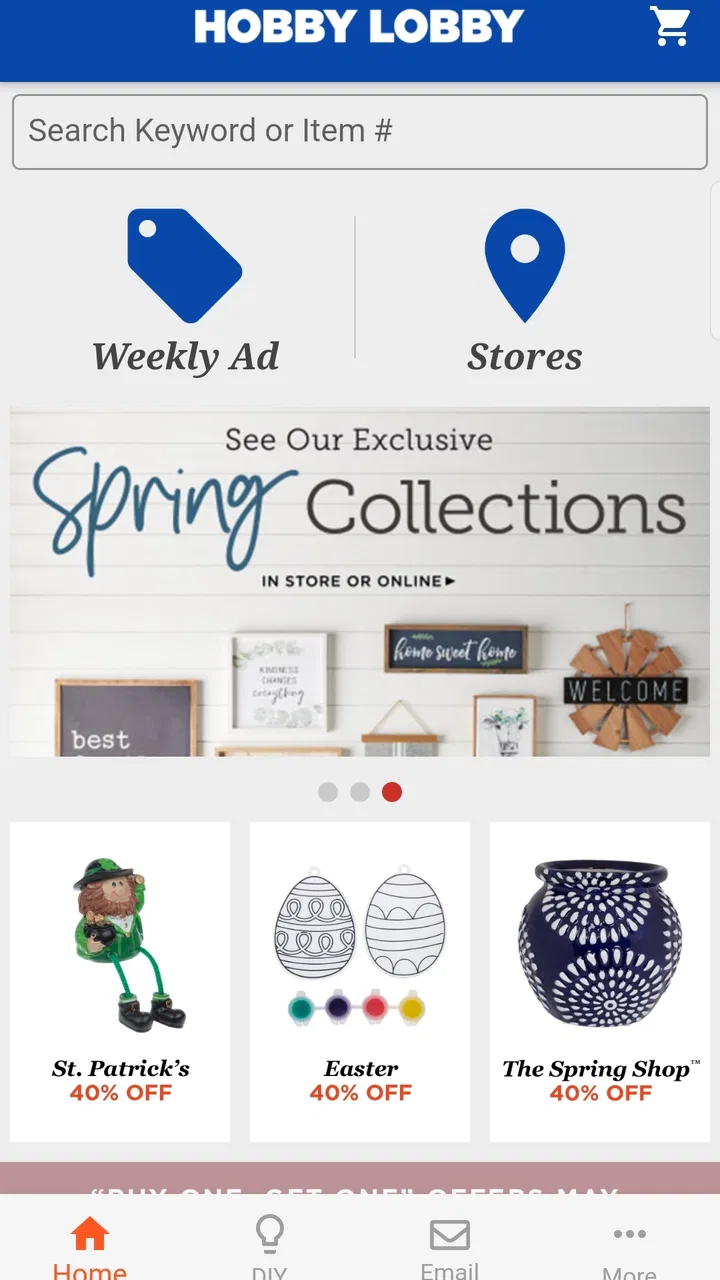
Hobby Lobby Stores
- 3.3
- Rating
- 5.00M
- Installs
- Free
- Price

 Analysis by App-foxy
I found Hobby Lobby Stores most useful as a mobile companion for people who already shop at Hobby Lobby and want the store close at hand while planning a project or making a quick buying decision. It is a free Lifestyle app from Hobby Lobby Stores, Inc., available for Everyone, and its purpose is straightforward: bring the retailer’s shopping experience to a phone rather than asking you to begin with a desktop browser.
That simplicity is both its appeal and its limitation. I would not describe it as a general craft-planning tool, a design workspace, or a replacement for a dedicated accessibility app. Instead, it is best judged by how comfortably it helps different people browse, prepare for a store visit, and make choices in ordinary situations. My experience is that the app can be convenient when the phone is already part of your shopping routine, but it does not remove every difficulty that comes with mobile retail browsing.
How the app feels to use in everyday situations
I find the app easiest to judge as a way to bring shopping research into the moments when I’m already planning a project, rather than as something I need to operate constantly in a store. That distinction matters when I’m juggling materials, time, or a small screen. Next, I’ll look at how a little preparation can make its everyday use feel more manageable.
You May Also Like

 Blood Strike: 2.5 Anniversary
Blood Strike’s Loadouts Turn Every Drop Into a Tactical Gamble
A close look at Blood Strike’s custom loadouts: how fast access to signature weapons reshapes its battle royale rhythm, rewards preparation, and narrows the gap between fights.

 Pandora - Music & Podcasts
Pandora’s Music Is Easy to Start, but Harder to Recover
Pandora’s strength is its low-effort path from a seed to a station. Its weak spot is how much confidence it asks you to place in connection, setup, and quiet recovery.

 8 Ball Pool
 Is Built on Rivalries, Rematches, and Routine
A close look at the rivalries, rematches, shared routines, and unanswered safety questions that turn a quick pool match into a persistent mobile community.

 Samsung Music
’s Quiet Strength Is Playing What You Already Own
Its reach comes less from spectacle than from dependable access to a personal library. That simplicity is both the app’s strongest retention engine and its ceiling.

 AccuWeather: Weather Radar
AccuWeather Review: A Quick, Clear Forecast for Everyday Decisions
For everyday plans, the best forecast is the one you can understand quickly. AccuWeather makes rain timing, radar, and local conditions easy to act on, with a few trade-offs.

 Hill Climb Racing
Why Hill Climb Racing Still Turns Crashes Into One More Run
A tiny car, a bumpy hill and one more upgrade: Hill Climb Racing keeps resurfacing because its simple chaos makes every near-miss feel personal.
More From Our News Desk



Readability and navigation during a shopping trip
The first thing I noticed is that the app’s value depends on reducing the number of steps between “I need something for this project” and “I know what to look for.” A phone is naturally easier to carry around a craft room, a kitchen table, or a store aisle than a laptop. That makes the app a practical starting point when I am checking Hobby Lobby from a smaller screen and want to keep the task focused.
For a typical visit, I would use it before leaving home rather than waiting until I am already standing in a crowded aisle. I can think through the project, look for likely supplies, and keep the phone available as a reference. This is especially helpful for someone who finds a large website tiring to scan or who prefers a dedicated app icon over opening a browser and searching from scratch.
Still, mobile retail interfaces can become visually busy. Product images, labels, promotional material, navigation controls, and shopping actions all compete for limited space. I found that readability is strongest when I approach the app with one clear goal, such as locating materials for a seasonal decoration or checking whether a particular type of item is worth adding to my list. Browsing without a plan can feel more demanding because the screen encourages comparison and discovery at the same time.
A useful habit is to decide the project category before opening the app. Instead of repeatedly jumping between broad departments, I would write down the item types I need and use the app to investigate them one at a time. That small change makes the experience easier to follow and reduces the chance of forgetting why I opened a particular page.
The app’s long presence on mobile is also worth noting. It was released in November 2012, and the current version is 3.0.19. That history suggests an established retail app rather than a brand-new experiment, but it does not automatically mean every screen will feel modern or equally polished. My judgement is based on usefulness: it works best when I treat it as a focused shopping aid, not as a place to wander endlessly.
Motor considerations and the realities of one-handed use
Using a shopping app with one hand is a very different task from using it at a desk. I may be carrying a basket, holding a sample, standing on public transport, or trying to keep my phone steady while comparing colors. Those situations make small controls, repeated scrolling, and precise taps more noticeable. Even a simple shopping flow can become frustrating when I have to perform several actions while balancing other objects.
For that reason, I would prepare before entering the store. I would review the items I am considering while seated, save the important details in a note if needed, and avoid relying on the app for every decision in the aisle. This is not a criticism of one particular screen; it is a practical trade-off of using any retail app during a hands-busy activity. The phone is most helpful as a prepared reference, not necessarily as something I want to operate continuously while shopping.
People with limited dexterity may also prefer slower, deliberate interaction. I would avoid rapid tapping and give each page time to settle before trying another control. If a shopping task requires repeated corrections, switching to a larger device or asking a companion to handle the phone may be more comfortable than forcing the entire trip through a small screen.
The app’s free price makes trying this approach low-risk. I can install it, test a normal shopping task, and decide whether the layout suits me without paying for access. That matters for users who need to evaluate touch comfort, text density, and navigation personally rather than relying on a generic accessibility claim.
Sensory comfort and reducing visual overload
Craft retail is naturally rich in color and imagery, which can be inspiring but also tiring. When I am comparing materials, a visually busy screen may help me understand the range of choices, yet it can make the important information harder to isolate. I found that the app is easier to use when I pause between screens and treat each product or category as a separate decision instead of trying to absorb everything at once.
Someone sensitive to visual clutter may benefit from using the app in a quiet setting with the phone brightness adjusted to a comfortable level. I would also avoid opening it during a rushed moment when notifications, store noise, and time pressure are already competing for attention. The app cannot turn a busy shopping environment into a calm one, but using it earlier in the planning process can shift the most demanding part of the task to a more controlled setting.
For users who rely on enlarged text, screen magnification, or other phone-level display adjustments, the sensible approach is to test the app with those settings enabled before depending on it for a full shopping trip. Enlarging content can improve legibility, but it may also make navigation less compact. That is a common mobile trade-off: text becomes easier to read while more scrolling may be required.
I would also keep a written backup for an important project. A short list of item names, colors, or measurements can prevent the app from becoming the single point of failure if the screen becomes uncomfortable or the shopping environment makes phone use impractical. This is one of the more useful ways to make the experience inclusive without pretending that the app itself solves every sensory need.
Situational access: planning at home, shopping in store, and buying from elsewhere
The strongest use case for me is preparation at home. I can sit at a table, think through a project, and use the app in a slower rhythm. That works well for people who need extra time to read, compare, or organize their thoughts. It also helps anyone who dislikes making decisions while surrounded by other shoppers.
A realistic example would be preparing for a weekend home-decorating project. I might have a rough idea, but not a complete supply list. I would use the app to explore the relevant Hobby Lobby shopping options, note the materials that seem appropriate, and narrow the list before visiting a store. Once there, I would use the phone only for confirmation rather than starting the whole search again. This approach reduces screen time in the aisle and leaves more attention for physical products, labels, and staff assistance.
The app can also suit a family member who shops on behalf of someone else. One person can plan the project and identify likely supplies while another handles the store visit. That division is useful when crowds, walking distance, fatigue, or sensory stress make an in-person visit difficult. The app becomes a shared planning reference, even though the final choice may still require seeing the physical item.
For people with limited connectivity, I would be cautious about making the app the only source of information during a trip. Retail browsing is naturally dependent on the phone, the network, and the freshness of the information being displayed. My practical solution would be to review the important details before leaving and keep a simple offline note. That protects the shopping plan if using the app in the store becomes inconvenient.
Compared with using a normal web browser, the app’s advantage is convenience and familiarity once it is installed. I do not have to begin by remembering a web address or searching through unrelated results. Compared with a dedicated craft-planning app, however, it serves a different purpose. A project organizer may be better for instructions, measurements, checklists, or inspiration across many retailers. I would choose Hobby Lobby Stores when the shopping destination is already Hobby Lobby, and a broader tool when the project matters more than the retailer.
Who will appreciate it, and who should probably skip it
I think the app is a good fit for regular Hobby Lobby shoppers, occasional crafters preparing for a specific visit, and people who prefer handling shopping research on a phone. It is also a reasonable option for someone who wants a free retailer-specific tool and is comfortable making the final accessibility judgement on their own device.
It is less suitable for someone looking for detailed creative instruction, a universal inventory manager, or a single place to compare every craft retailer. I would also hesitate to recommend it as the main tool for a user who finds touch interfaces difficult, becomes overwhelmed by image-heavy shopping screens, or needs a fully customized reading experience. In those cases, a browser on a larger screen, a paper list, or assistance from another person may be more effective.
The public response gives a useful signal about expectations: the app has an average rating of 3.3 from around 15 thousand ratings, with roughly 3.3 thousand written reviews. I would read that as a reason to approach it realistically rather than assuming the experience will be perfect for everyone. Its reach is substantial, with over 5 million installs, but popularity does not remove the need to test the navigation and readability on an individual phone.
Remaining barriers and practical workarounds
The main barrier is that mobile convenience can hide extra effort. A small display may require more scrolling, product browsing can invite distraction, and a person who needs larger text may see less information at once. These issues matter more when I am tired, rushed, carrying items, or shopping in a noisy environment.
Another barrier is dependence on a single interaction style. Touch navigation is convenient for many people, but it is not equally comfortable for every user. If precise tapping or repeated gestures are difficult, I would plan the session in advance, use the phone’s built-in assistance settings where appropriate, and keep a concise written list. The app is easier to include in a flexible routine than to make the entire routine depend on it.
There is also a difference between discovering a product digitally and judging it physically. Craft supplies can depend on texture, scale, color under real lighting, and how materials feel in the hand. I would use the app to narrow choices, then confirm important details in person whenever the project is sensitive to those differences. For a gift, a room decoration, or a carefully matched color scheme, that extra check can prevent an avoidable disappointment.
Families and caregivers may want to agree on a simple process before shopping. One person can operate the app, another can read the list, and the shopper in the store can confirm the physical item. This turns a potentially frustrating phone task into a shared workflow. It is a concrete advantage of treating the app as a support tool rather than expecting it to carry the entire experience alone.
The age rating of Everyone makes the app broadly approachable from a content perspective, but that should not be confused with identical usability for every age or ability. A child, an older adult, and a user with low vision may all interact with the same retail screen in very different ways. I would test it with the actual person who plans to use it, especially if the app will support someone else’s shopping decisions.
My inclusive verdict
After using it as a retailer-specific shopping companion, I see Hobby Lobby Stores as a practical but purposefully limited app. It does not need to become a full craft studio to be useful. Its strength is helping me bring Hobby Lobby into the planning stage of a shopping trip, particularly when I want to research from home, organize a project, or avoid beginning with a desktop browser.
Its inclusive value comes less from a special promise and more from how flexibly I can build it into my routine. Preparing in a quiet place, adjusting the phone for comfortable reading, keeping a backup list, and limiting use in the aisle can make the experience work for more situations. Those habits also expose the app’s boundaries honestly: it supports shopping, but it cannot replace physical product inspection, a larger screen, or human assistance when those are the better choices.
The current version, 3.0.19, runs on devices using at least iOS or Android 8.1, and the app remains free to try. I would recommend it to a friend who already shops at Hobby Lobby and wants a convenient mobile starting point. I would not recommend installing it solely in search of advanced accessibility controls or comprehensive craft management. For me, the right expectation is simple: use it to prepare and narrow decisions, then choose the shopping method that keeps the rest of the experience comfortable and manageable.
FAQs for Hobby Lobby Stores
01What features does the Hobby Lobby Stores app offer?
The Hobby Lobby Stores app provides a range of features that enhance shopping convenience. Users can browse the latest products, access exclusive online discounts, and find nearby store locations. The app also offers a weekly ad to keep you updated with current deals and promotions, making it easy to plan your shopping trips efficiently.
02Is the Hobby Lobby Stores app available for both Android and iOS devices?
Yes, the Hobby Lobby Stores app is available for download on both Android and iOS platforms. You can find it on the Google Play Store for Android devices and the Apple App Store for iOS devices, ensuring that users on both platforms can enjoy its features seamlessly.
03Does the Hobby Lobby Stores app require an internet connection to function?
While some features of the Hobby Lobby Stores app can be accessed offline, such as browsing downloaded weekly ads, an internet connection is required for real-time updates, accessing the latest product listings, and receiving notifications about new discounts and promotions. For the best experience, it's recommended to use the app with an active internet connection.
04Are there any in-app purchases or fees associated with using the Hobby Lobby Stores app?
The Hobby Lobby Stores app is free to download and use, with no hidden fees or in-app purchases. It is designed to provide customers with a more convenient shopping experience without any additional costs. Users can take advantage of the app’s features, including exclusive discounts and promotions, at no extra charge.
05How does the Hobby Lobby Stores app handle user data and privacy?
The Hobby Lobby Stores app is committed to protecting user privacy. It collects minimal personal information necessary for functionality, such as location data for store locators. The app adheres to strict privacy policies and does not share personal information with third parties without user consent. Users are encouraged to review the app's privacy policy for more details.
Pros
- Wide variety of crafting supplies available.
- User-friendly interface for easy navigation.
- Frequent updates with new features.
- Exclusive discounts and promotions offered.
- Personalized shopping recommendations.
Cons
- Limited international shipping options.
- Occasional app crashes reported by users.
- Some features require a stable internet connection.
- Limited customization in notification settings.
- Inconsistent inventory updates in the app.

Hobby Lobby Stores
Gallery